
Tax Tips
– FAQs –
Here’s a collection of our most popular tax season tips.
If your question isn’t listed below, please don’t hesitate to contact us!
When can I expect my organizer?
By the end of January!
Digital Tax Organizers are emailed by the end of January. We will mail you a postcard after we email your Tax Organizer.
A small group of clients have requested a paper copy of their Tax Organizer. These will be mailed in mid-January.
Add noreply@safesendreturns.com to your email address book.
This is the email address from which you will receive:
- your digital Tax Organizer
- your completed tax return (if you choose digital delivery)
- any secure links sent for the digital transfer of files
- N&Co communications related to your Tax Organizer
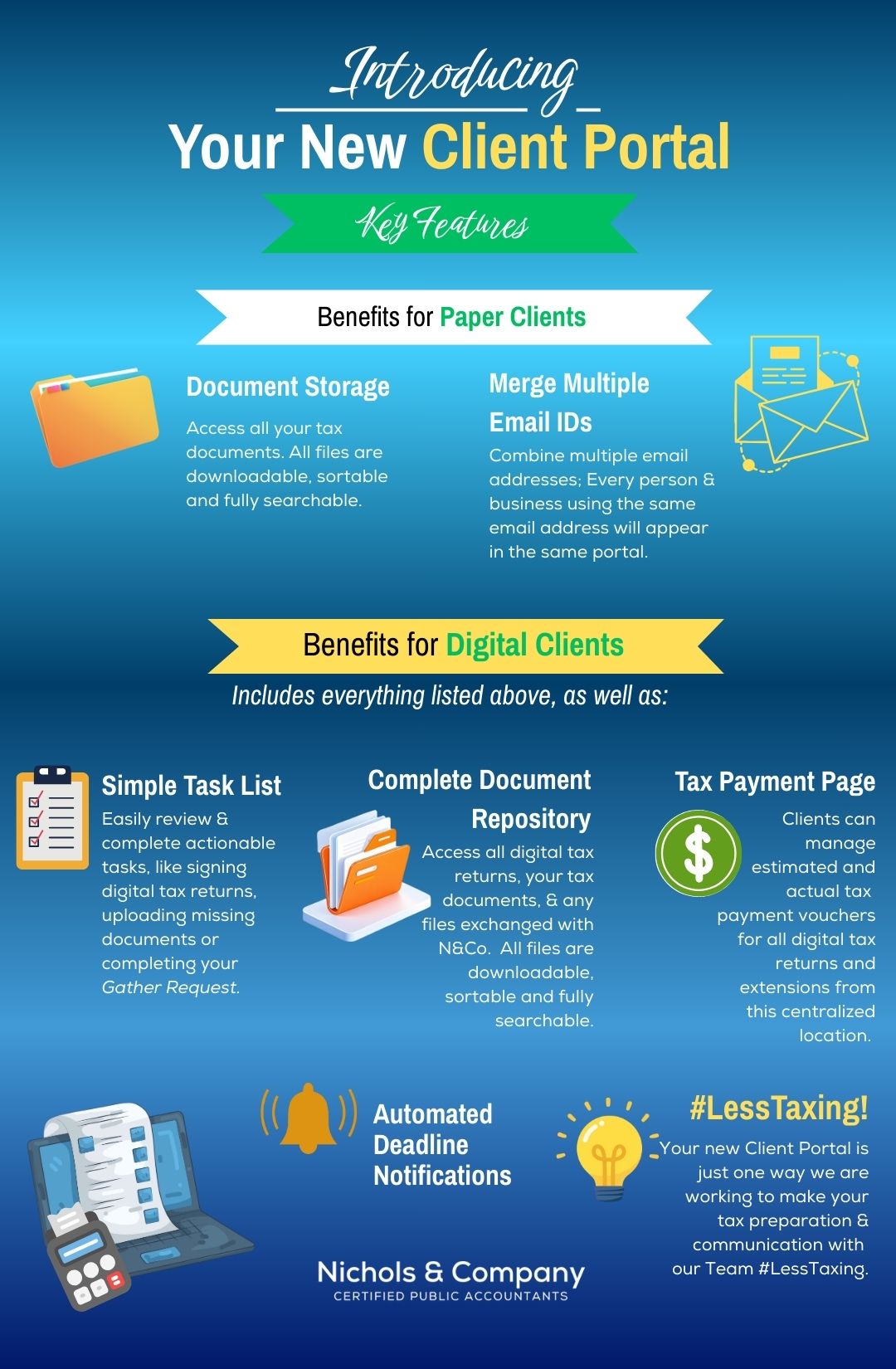
Tell me more about the new Client Portal.
This feature provides you with a dashboard for tasks, as well as storage for tax documents and digital tax returns, all within a single, secure access point.
Please create your Client Portal prior to beginning work on your Tax Organizer or uploading documents.
I can’t locate the email with my digital Gather Request invitation my Inbox. What should I do?
Your Gather Request (digital tax organizer) can be found in your Client Portal.
If you haven’t yet created your Client Portal, you will find a button to do so at the top of this page.
If you are still unable to locate your Gather Request, please call our office at 614-891-5423.
How should I best utilize my Gather Request (Tax Organizer)?
Your Gather Request (digital tax organizer) has 3 sections:
1) Answer Questionnaire
–We are asking all clients to complete the Questionnaire digitally. Doing this allows your completed Questionnaire, as well as your Organizer and tax documents, to populate in your Client Portal, giving you unlimited access to everything for 7 years.
2) Upload Documents (aka: Document Request List/DRL)
-Your DRL is a customized list of documents we need to prepare your tax return, based on your prior-year return.
-If you would like to print your DRL from a computer, click the printer icon at the top right of the window.
3) Complete Tax Organizer
-The Tax Organizer section is provided as a reference guide. This year some pages have been removed and topics are addressed within your Questionnaire. If you have a tax document that applies to an item in your Tax Organizer, just upload the form—there’s no need to enter the information.
-If you are completing your Gather Request on a phone or tablet, you will not be able to see the Tax Organizer.
-If you are using a combination process (digital Organizer + paper tax documents) to complete your Gather Request, be sure to indicate on the final page of your Organizer, under Notes to Preparer, that you plan to drop off or mail your Organizer & paper documents.
For clients utilitizing the combination process, please use the income summary lists within your Tax Organizer to gather the same tax documents for this year’s return.
If you find that some income sources/accounts are no longer part of your tax portfolio, please indicate that by marking a “2” (Inactive) next to the item.
If you have added new sources of income, please enter the name of the source on a new line in your Tax Organizer. Please do not delete inactive sources.
Remember to include your completed Tax Organizer when sending in or dropping off your tax documents to our office.
My Tax Organizer includes a Questionnaire. Do I need to complete it to access my Tax Organizer?
You are able to work on the Questionnaire, Tax Organizer and/or upload documents in any order you prefer. However, you must complete all sections before you are able to click Finish.
Every client needs to complete the Questionnaire, and we request that everyone complete it digitally. If you submit your tax documents to us without completing this, we will be unable to start your return.
I renewed or got a new driver's license. Do I need to submit a copy of it for my tax preparation?
Yes, please!
Renewal? Please provide the new issue and expiration dates in your Questionnaire.
Brand New License? If you got a new license due to a name change or state move, please provide your license number, issue and expiration dates, and state of issuance.
To simplify, you’re always welcome to include a photocopy of your license with your tax documents if you prefer.
If I made estimated tax payments in the prior year, where should I record those payments?
There is a spot in your Questionnaire where you can record:
- the date of payment
- amount of payment
- recipient of the payment
I moved. When should I share my new address?
We need your current address to complete your tax return. You will find a place to share a new address in your Questionnaire.
We also will need to know the date of your move because you might have moved into an area with a different tax rate.
Please also share any other new contact information (phone numbers, emails, etc) to ensure we can reach you with any questions and to let you know when your tax return is complete.
I added a new dependent last year. Where can I share the details?
Your Questionnaire provides a place for you to share this information.
We will need to know the:
- full name of each new dependent
- social security number
- date of birth
What are new items I should consider including with my tax documents this year?
With the new OBBBA legislation, itemizing may be back on the table for some taxpayers. To help us determine what’s best for you, please also include your:
- Mortgage interest statement
- Personal vehicle loan interest statement (for qualifying new vehicles purchased in 2025)
We also would like to see your total cash donations and total non-cash donations. We only need your totals though—not individual receipts. But please do hang onto them in case you ever need to back up those numbers.
I have always received a paper check for my refunds. Is that still an option this year? What if I owe money?
Effective September 30, 2025, the federal government officially retired the paper check refund. This means faster, more secure refunds for you. To receive your refund, we’ll need your direct deposit information, which you can easily enter or upload in your Tax Organizer.
Direct deposit information we need:
- Bank name
- Routing number
- Account number
- Account type (checking or savings)
If you owe money, be aware the IRS is moving toward requiring all payments be made online. If you receive your completed returns through our digital Safe Send process, you’ll find direct links to pay the federal government and most cities, states and school districts right inside the platform (no googling required). We also have a number of links to payment options on our website.
Here is a link to the IRS website for clients who prefer paying here directly.
As of February 2026, it is still currently an option to pay via check, if you prefer.
What are the delivery options for my competed tax return? Where do I indicate my preference?
Digital or Paper – please indicate your preference in your Questionnaire. Here are more details about each option:
Digital:
Digital delivery means an electronic copy of your return will be delivered to your Client Portal. You will also receive an email from noreply@safesendreturns.com to notify you it is in your portal.
You can pay your tax preparation invoice online, using the Online Payment button at the top of this website. (Client ID = Your Name or Company Name; Invoice Number = N/A unless provided on invoice)
You will sign your signature forms electronically and then N&Co will e-file your returns to the appropriate governmental entity.
If you have returns that cannot be e-filed, your emailed return will include pdf copies of those returns that need to be printed, signed and mailed in.
All tax documents used to prepare your return will be uploaded to your Client Portal, regardless of delivery preference.
Please be sure to create your Client Portal. A Client Portal gives you one central, secure location to store tax documents and returns, track action items, and manage your account—all with a single 6-digit PIN you create. Any SafeSend accounts tied to your email address will automatically appear in your Client Portal for easy access.
A link to create your Client Portal is at the top of this page.
Digital copies of both your completed tax return and tax documents will be available to you for seven years.
Paper:
Our staff will call to notify you when your tax return is complete.
We will ask if you’d like to pick up your return or if you would like it mailed to you. (An additional charge for postage will apply.)
1) You will need to pay your tax preparation invoice.
This can be done by:
ACH: This is basically a digital check. Simply click the Online Payment button at the top of our website. There is no fee for this service. (Client ID = Your Name or Company Name; Invoice Number = N/A unless provided on invoice)
Check: Checks can be mailed or dropped off to our office at 507 Executive Campus Drive, Westerville, OH 43082.
Cash: Cash payments are accepted in person. If paying by cash, please come to the office during our regular business hours. We request you bring exact amounts as change may not be readily available.
Credit Card: You may pay by credit card by clicking the Online Payment button at the top of our website. There is a 3% surcharge charged by our credit card processor that will be added to your total. This amount will be clearly shown as a separate line item. (Client ID = Your Name or Company Name; Invoice Number = N/A unless provided on invoice)
2) You will sign your e-file documents either in the office or at home. If outside of our office, you will need to return these documents to us.
3) N&Co will e-file your returns to the appropriate governmental entity.
If you have returns that cannot be e-filed, paper copies will be provided in your packet. You will need to sign these and mail them in accompanying envelopes.
I received unemployment income. What information does N&Co need to report that?
We need to know:
- your dates of unemployment
- how much unemployment money you collected during the tax year.
- Please include Form 1099-G with your tax documents.
My kids earned some money last year. Their taxes are easy--can they prepare their own returns?
Well…maybe! We caution you to ensure that a dependent claimed on your return is not also claiming themselves on their own return.
Unfortunately, we see this situation repeated every year and it results in numerous amended returns.
If your child has filed their return before yours is complete, we request that you include a copy of their return with your tax documents.
N&Co is able to prepare your dependents’ tax returns (if needed). Children’s returns start at $250.
I store my tax documents and tax returns on my home computer. Since it’s my own personal machine, is this a safe option?
We encourage you not to be lulled into a false sense of security just because you’re at home. All computers are susceptible to hacking.
Our security experts have shared with us that it is safer for you not to store sensitive documents on your computer.
They recommend either:
- printing out the tax documents you receive electronically or
- downloading them to a separate drive (eg: a USB)
- and then storing either of these in a secure location.
Out-of-pocket medical, dental, and/or health care receipts: What’s the best way to share these with you?
Donation Receipts & Letters: What does N&Co need to prepare my taxes?
Please total your donations and include that total in the Charitable Contributions portion of your Questionnaire.
We do not need your receipts or letters, but we highly recommend you keep them in case you ever need to justify your numbers. A friendly reminder: GoFundMe contributions are not considered charitable donations for tax purposes.
One exception to only sharing your donation totals with us: if you and/or your spouse contributed to a scholarship-granting organization (SGO), we do need your tax credit receipt letter from the SGO. We are required to submit the receipt with your Ohio tax return in order for you to claim the credit(s).
I purchased an electric vehicle (EV) this year. Do I need to submit the Seller’s Report with my tax documents?
Yes, we do need your Seller’s Report in order to claim any available credits related to your EV.
Rules surrounding EV credits are very detailed, so we need to be able to confirm that your purchase was eligible.
What is an IP PIN and do I need one every year?
An IP PIN is an Identity Protection PIN, issued by the the IRS. Not every client has one.
However, if you had an IP PIN last year, a new PIN is issued by the IRS each calendar year. We are required to submit it with your tax return.
If you do not receive your IP PIN in the mail, you will need to go to the IRS website to retrieve it. You can provide us with your IP PIN by entering it in your Questionnaire or including your letter.